
01 · Leads & Cooler AI
Every lead answered, even while you’re on a ladder
Requests come in from your website, texts, email and voicemail, and each one is answered and organized for you.
- A lead page, lead email and request form for your company
- Cooler AI replies to texts, email, web chat and voicemail, and never makes up prices or times
- A summary and a next step on every lead, and you can take over any conversation
- Urgent requests, like a leak or “ASAP”, text and email your team until someone picks them up
Cooler AI is included on the Team and Pro plans, or available as an add-on.
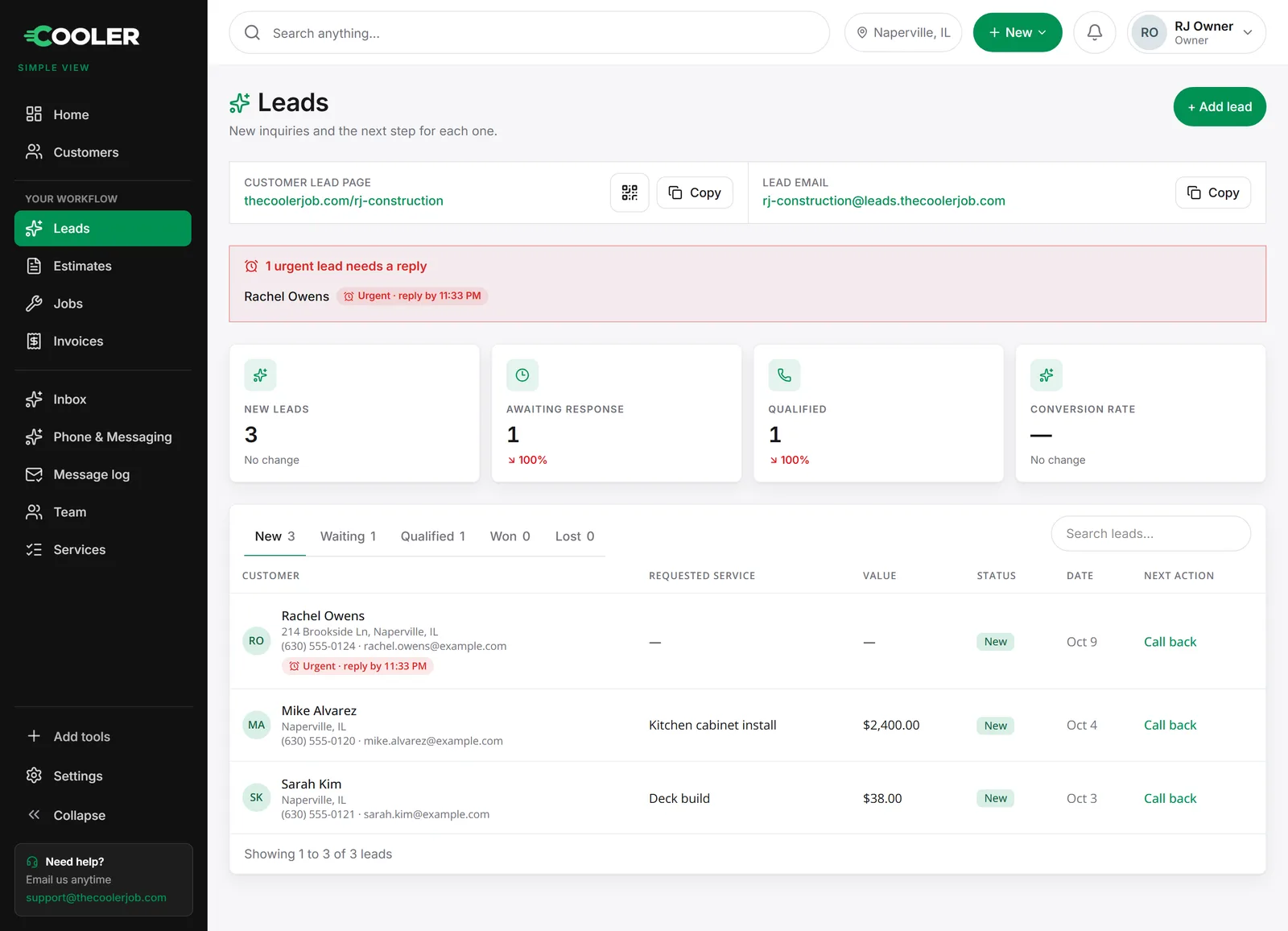
Rachel Owens · Text
Cooler AIWater is coming through our kitchen ceiling. Can someone come out today?
I’ve alerted the RJ Construction team right now. What’s the address?
02 · Customers & properties
One record for every customer
Everything you know about a customer, on one page your whole team can see.
- Contact info, properties, work history and messages together
- Each property on a map, with the drive distance from your shop
- See which services a customer has bought and which they haven’t, ready to cross-sell
- Record a payment or send a quick invoice right from their page
- Import your existing customers from a spreadsheet

03 · Estimates & e-signature
Send an estimate. They sign on their phone.
Priced estimates that look professional and get approved in minutes.
- Group lines into sections like Front yard or Kitchen, and add notes
- Customers review and sign on their phone with a typed or drawn signature
- A signed PDF is saved for your records automatically
- Edit an estimate until it’s signed, and see how many times it’s been viewed
- Or upload your own estimate (PDF, image or Word) and send that instead
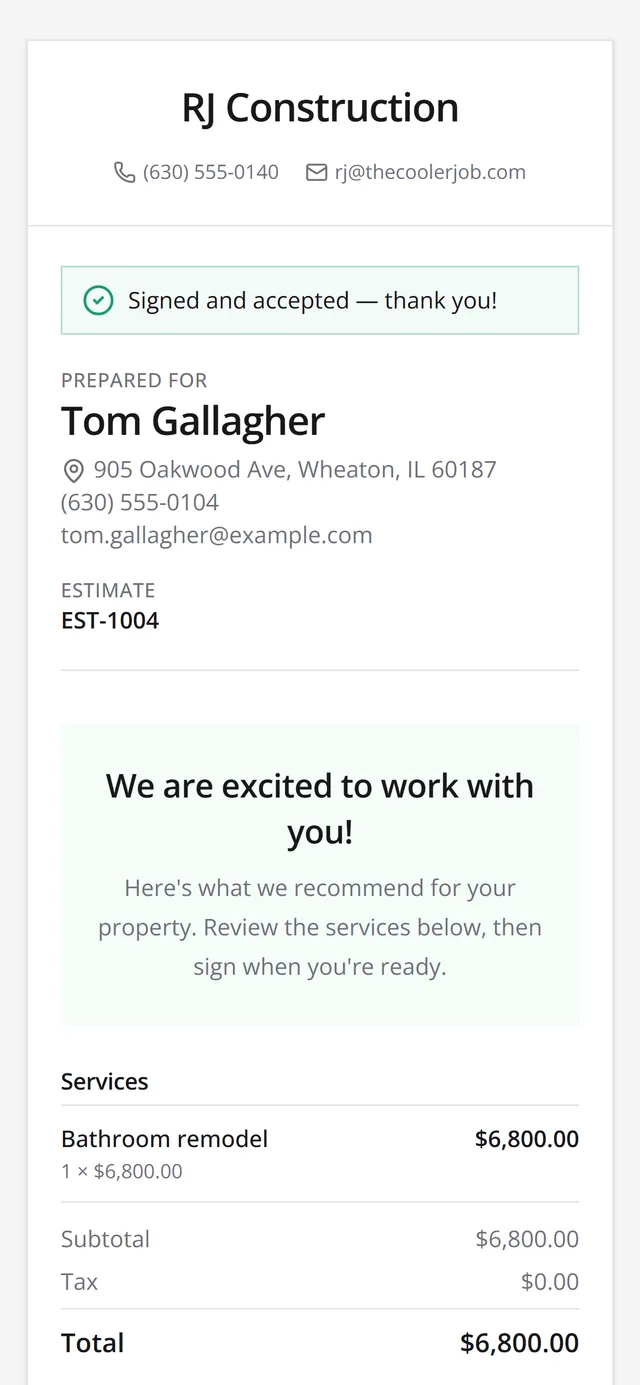
RJ Construction
Estimate EST-1004
Bathroom remodel
Sign with your finger
04 · Scheduling & crews
Your crews on a calendar and a map
Get the right crew to the right job, on time.
- Turn an accepted estimate into a job in one click, then drag it onto the calendar
- Week, month and hour-by-hour day views, with drive time from your shop
- Build crews, block out dates and set up recurring jobs
- See the day’s jobs on a map, and send an “on my way” text with an arrival time
This week · by crew
Drag to schedule05 · Photos & checklists
Snap it. Share it. Done.
Proof of the work, and a checklist so nothing gets missed.
- Take before and after photos from the job
- Choose which photos your customer sees on their job report
- Each service carries a checklist, with checkboxes or short answers, that copies onto every job
- Add one-off items and instructions for the crew
Job photos
Deck build · 76 Cedar Glen Ct
06 · Invoices & payments
Get paid however they want to pay
Send the invoice the moment the job wraps.
- Create an invoice from a finished job, or a quick invoice for one-off work
- Customers pay by card or bank transfer (ACH) from a link once you connect Stripe
- Record Zelle, Venmo, cash and check payments, including partial payments and refunds
- Email or text the invoice in one tap
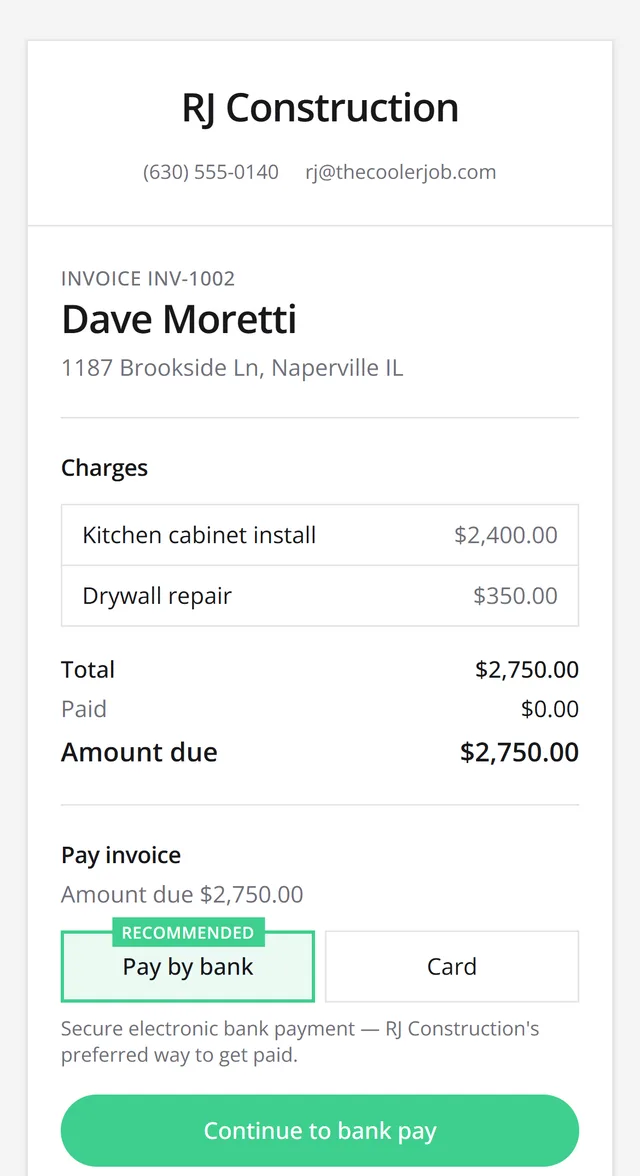
Customers choose how to pay
07 · Reviews & reporting
Know where the business stands
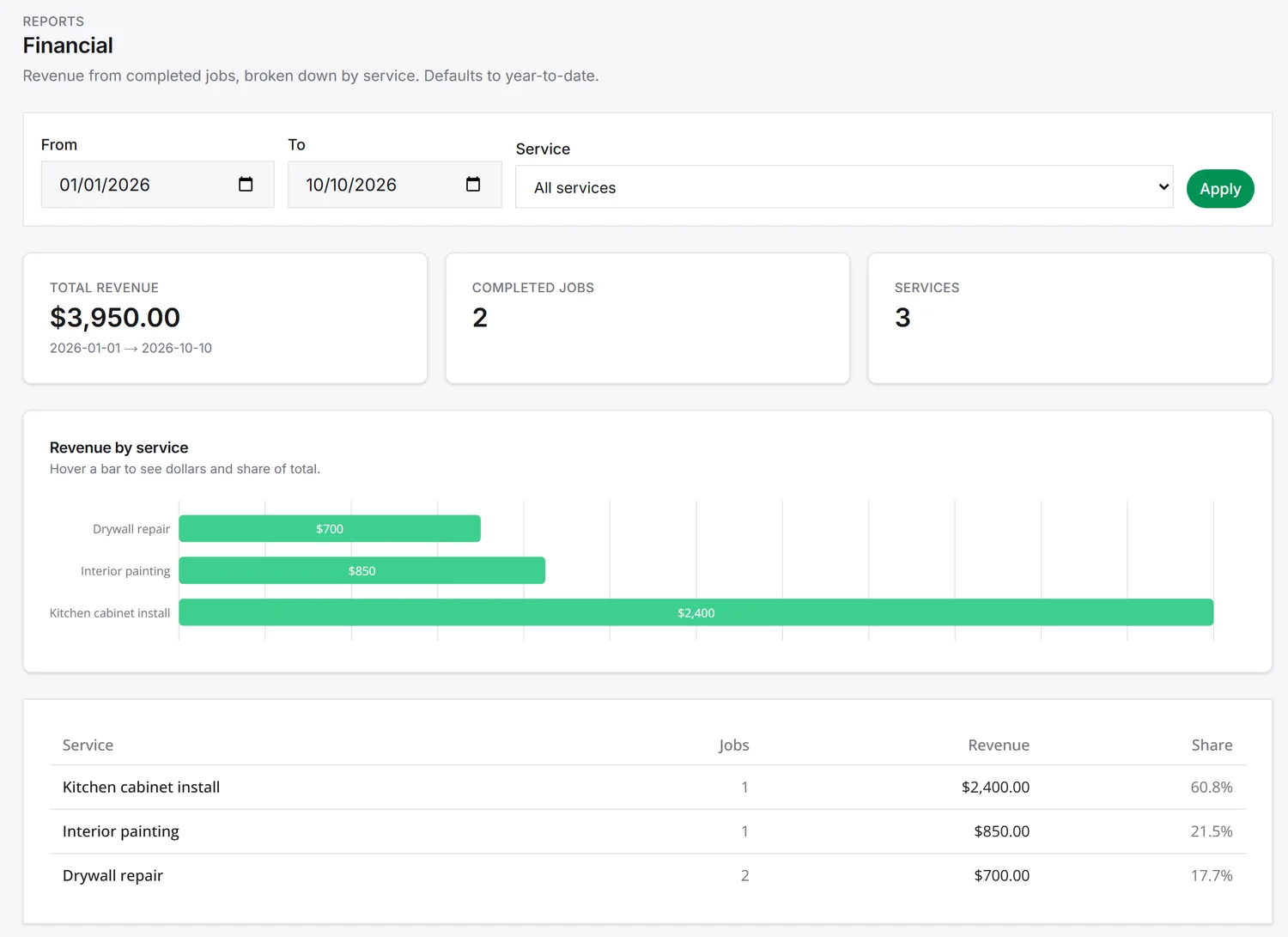
The numbers that matter, without a spreadsheet.
- Revenue by service, job history and customer feedback reports
- A home screen with your pipeline, today’s jobs and payment activity
- A short survey goes out after each job, and happy customers are pointed to your Google reviews
08 · Team & permissions
The right access for everyone
Owners, office staff and crews each see what they need.
- Roles for owners, admins, office managers, sales, technicians and marketing
- Invite teammates by email, and they set their own password
- Choose what each role can do
- Turn someone’s access on or off instantly without losing any data